Designing & Developing Interactive Instruction
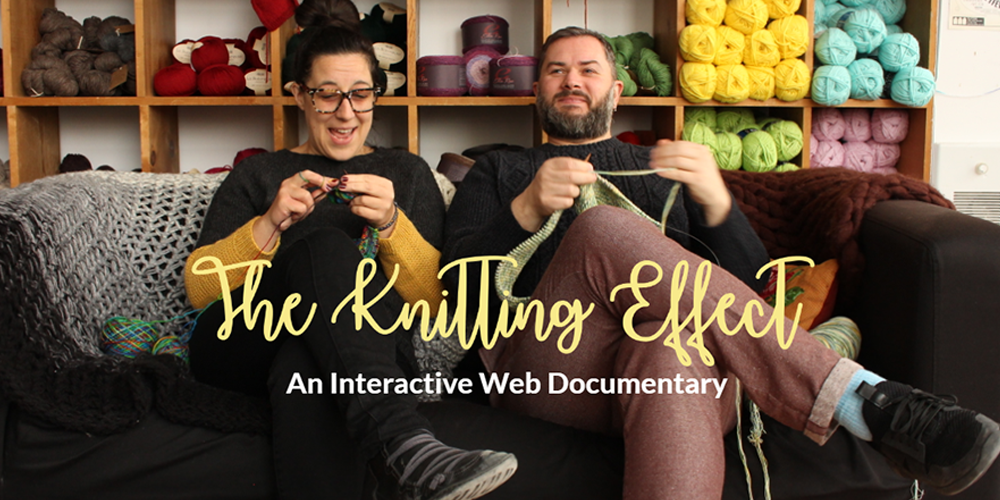
The Knitting Effect web documentary was a team project for the Designing and Developing Interactive Instruction course (ETEC 669) that I took in Winter 2018. It was my first semester as a graduate student at Concordia University. Although I had taken synchronous courses and MOOCs prior to enrolling into the Educational Technology program, I was not entirely sure what to expect. At that time I had a very vague notion of instructional design and interactive instruction. Since I had just left a production-heavy career as a news designer at The Gazete, I was comfortable with taking a production course so early in my graduate program. What better way to fully immerse myself into eLearning and Interactive Instruction!
THE PROJECT: Each group of students was to choose a topic and create an interactive web documentary that would lead users to discover and learn about that topic. There were multiple elements to the project: branching and storyboarding, initiating and conducting interviews, taking and editing video, incorporating audio, including subtitles, designing and testing the web documentary, and finally, there was a launch party! It was a good thing it was a team effort - and I couldn't have asked for a better team than to be paired up with Elena Baise and Erika Sullivan. I am used to daily deadlines - having worked over 15 years in The Gazette's newsroom - but I am still amazed at what we managed to do in 2 months that semester! Here is the process and some key learning points I took away from this experience:
THE PROCESS: From the begining of the class our professor, Giuliana Cucinelli, warned us this project needed quite a lot of time management on our end. I took on the role of project manager, coordinating the project using Google Drive. We took a week to choose the topic - Knitting! - and then, it was a whirlwind of researching sub-topics, prototyping what we envisioned the web doc to look like, and reaching out to the local knitting community to see who would be willing to participate in our interactive project. Following this, it was all hands on deck to coordinate and film interviews, edit the videos, and create the interactive web doc. I handled project management, communications and design. Erika took the lead in filming and producing on Klynt. All three of us were involved in the essentials of the project: finding our knitters, filming the interviews, video editing and designing the interactivity of the web doc. We all wanted the web doc to reflect the diversity of knitters and knitting causes, so we purposefully reached out to all knitters, regardles of age, ethnicity or mother tongue. I wanted to incorporate subtitles, so our francophone knitters could choose to do their interviews in their preferred language. Elena wanted to use video of all our knitters, so we never left anyone on the cutting floor.

LESSONS LEARNED: Project management is key in order to make sure things happen in the right order, and involving all the right participants. Collaborating early, establishing roles, and incorporating iterative design and feedback is also very important. And it became quite evident that none of us were going to be exempt from production - from using the camera equipment (with mics and lighting) to post-production (Final Cut Pro!) to web development (true collaboration on Klynt was an issue - read below).
- Skills acquired: Filming interviews and B-roll; editing video incorporating sound and subtitles; developing interview etiquette (approaching & securing interviews, follow-up thank-yous and invitations to the launch)
- Software used: Adobe Photoshop (photo editing), Adobe InDesign (web doc page designs), FinalCut Pro (video editing), Klynt (web doc production)
REFLECTION: The first thing Erika brought up at the very beginning was, why were we using an interactive web documentary as a teaching tool? Why not just a web documentary? In order to bring in true interactivity, could not the user also be more involved, and not just by clicking on a button bringing them to another part of the documentary? For instance, could we not incorporate user interactivity using social networks, or encourage user submissions of knit patterns or items? However ambitious these ideas may seem, they are not out of the realm of possibility. But we were constrained by time and resources.
We used Klynt to produce our interactive web doc and we were also instructed to design the web doc as a non-responsive website. The issue of a responsive design and more interactivity could have been solved with an HTML5-coded webpage, however that was beyond the scope of the course (and our abilities!).
Another issue that came up was another limitation of Klynt: The student version of Klynt only allowed for one user to work on the program with their sign-on. We gave up on working collaboratively on Klynt because we understood that limitation and, rather than attempt a work-around, we directed most of our production through Erika. We did not want to push the software too much since Klynt would glitch occasionally, sometimes crashing unexpectedly. As it was, having 16 buttons on our "Meet the Knitters" page almost broke it!
